EPFL Day 3: Controlling the Robot
This morning, we learned how robots “think” and “react” to their environment. It was all about signal processing, making sense of the data our sensors collect, and understanding control laws to make our robot behave smartly.
1. Signal Processing & Filtering
As sensors readings can be noisy bacause of interferace, signal procesing cleans up the data to help the robot make reliable decisions.
To eliminate this noise, we use Filters, which allow or block parts of a signal based on its frequency:
- Low-Pass Filters: They let low-frequency signals (slow, meaningful changes) pass through but block high-frequency sudden jitters.
- High-Pass Filters: Let high-frequency changes pass through but block slow, steady signals. Useful for detecting sudden movements.
- Band-Pass / Band-Stop Filters: Allow or block a very specific frequency range.
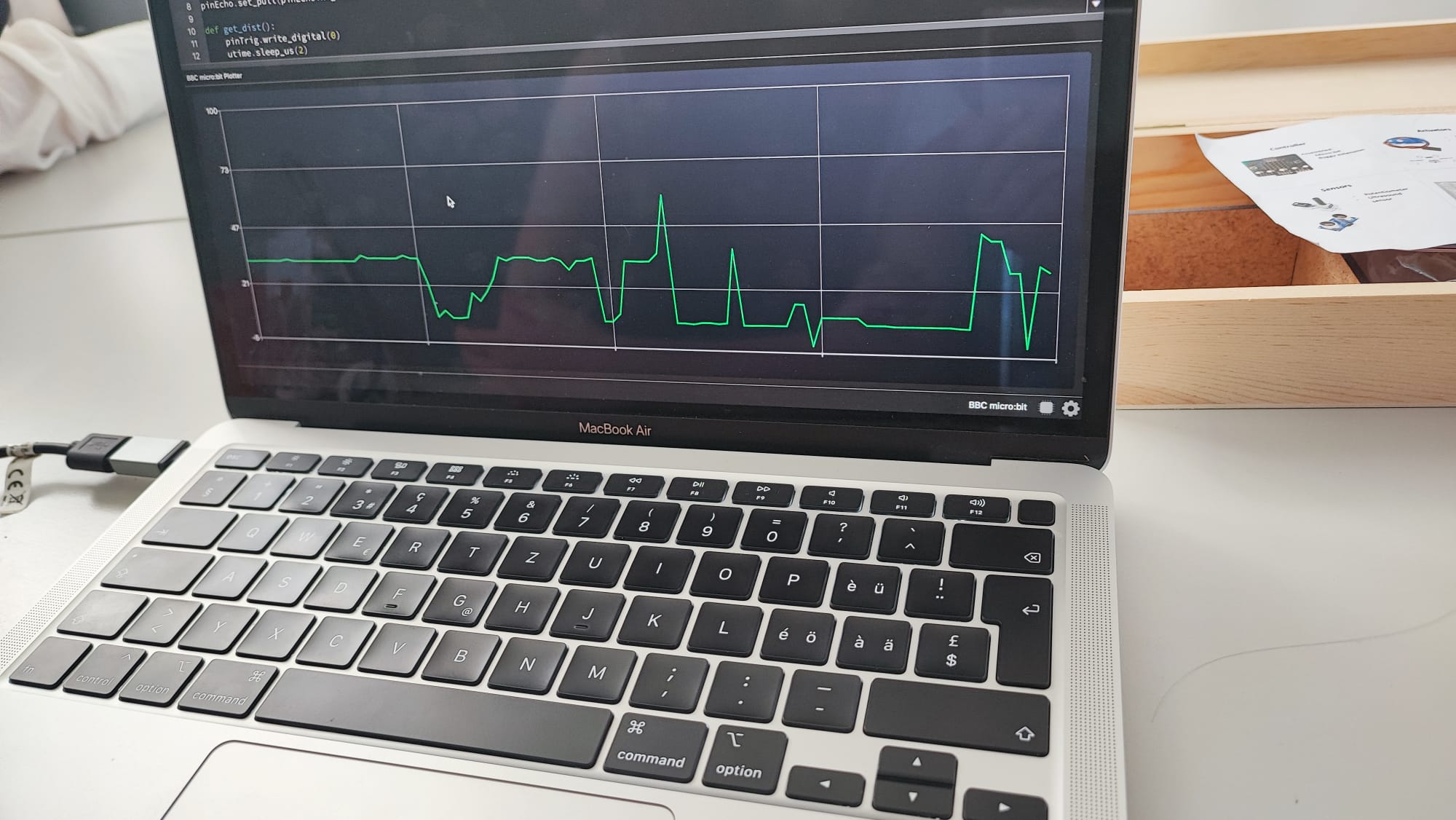
Testing the filters in our sensor
2. Managing Behavior with State Machines
Instead of writing one massive block of code to handle every situation simultaneously, we use State Machines. This approach decomposes the robot’s behavior into states.
- States: A distinct mode of operation (e.g., “Moving Straight”, “Turning”, “Backing Up”).
- Transitions: The robot moves between states based on specific conditions (like an ultrasonic sensor detecting an obstacle).
- Actions: What the robot physically does while in that state.
Here is the conceptual structure we used to program our autonomous state machine:
1
2
3
4
5
6
7
8
9
10
11
12
13
14
15
16
17
18
19
20
21
22
23
24
# Initialize robot state
state = "Straight"

# Main loop that runs continuously
while True:
    d = getFilteredMeasure() # Get cleaned sensor data

    # Logic for the "Straight" state
    if state == "Straight":
        # Check conditions to transition
        if d < 10: # Obstacle detected!
            state = "Back"

    # Logic for the "Back" state
    elif state == "Back":
        # If backed up enough, transition to Turn
        state = "Turn"

    # Logic for the "Turn" state
    elif state == "Turn":
        # If the path is clear, go back to Straight
        state = "Straight"

    sleep(100)
It shows how getFilteredMeasure() is used to get sensor data, and then if state == "Straight":, if state == "Back":, if state == "Turn": blocks handle the logic for each state. It also includes concepts like timeStart and randomDuration for timed actions or random behaviors.
Standard Control Laws
To calculate how to correct this error, we use Control Laws, the most common being the PID Controller:
Proportional (P):Reacts to the current size of the error. The further the robot is from its goal, the harder it pushes.
Integral (I): Accumulates past errors. If the robot has been consistently undershooting the target by a tiny bit due to friction, the I-term gradually increases force to eliminate that persistent error.
Derivative (D): Looks at the rate of change. It anticipates the future, telling the robot to slow down as it approaches the target to prevent overshooting.
Afternoon Project: Radio-Controlled Robot
In the afternoon, we built a radio-controlled robot using two Micro:bits. One acted as the Transmitter (the remote control) and the other as the Receiver (on the robot).
We went from sending text messages to mapping basic button presses to motor commands. Finally, we achieved remote control using the accelerometer.
Initial Communication Test (Message Display)
Our first step was to confirm that the two Micro:bits could “talk” to each other. Pressing button A on the transmitter sent a simple “HELLO” string, which the receiver displayed on its LED grid.
Basic Movement(Message Display)
Once wireless communication was confirmed, we moved to controlling physical actions. We adapted the code so that holding button A moved the robot forward, and holding button B moved it backward.
Transmitter Code
1
2
3
4
5
6
7
8
9
10
11
12
13
14
15
16
17
from microbit import *
import radio

radio.on()
radio.config(group=1)

while True:
    if button_a.is_pressed():
        radio.send("FORWARD")
        display.show(Image.ARROW_N)
    elif button_b.is_pressed():
        radio.send("BACKWARD")
        display.show(Image.ARROW_S)
    else:
        radio.send("STOP")
        display.clear()
    sleep(50)
Receiver Code
1
2
3
4
5
6
7
8
9
10
11
12
13
14
15
16
17
18
from microbit import *
import radio

radio.on()
radio.config(group=1)

while True:
    command = radio.receive()
    if command == "FORWARD":
        # Code to make robot move forward
        pass
    elif command == "BACKWARD":
        # Code to make robot move backward
        pass
    elif command == "STOP":
        # Code to stop robot
        pass
    sleep(50)
The final part was achieving full remote control using the accelerometer. By physically tilting the transmitter, we could steer the robot in any direction. Here is the final code side-by-side:
Transmitter Code (Controller)
1
2
3
4
5
6
7
8
9
10
11
12
13
14
15
16
17
18
19
20
21
22
23
24
25
26
27
28
29
30
31
32
33
34
35
36
37
38
39
40
from microbit import *
import radio

radio.on() # Turn on the radio module

while True:
    gesture = accelerometer.current_gesture()

    if button_b.is_pressed():
        if gesture == "right":
            display.show(Image.ARROW_NE)
            radio.send("FR")
        elif gesture == "left":
            display.show(Image.ARROW_NW)
            radio.send("FL")
        else:
            display.show(Image.ARROW_N)
            radio.send("F")
    elif button_a.is_pressed():
        if gesture == "right":
            display.show(Image.ARROW_SE)
            radio.send("BR")
        elif gesture == "left":
            display.show(Image.ARROW_SW)
            radio.send("BL")
        else:
            display.show(Image.ARROW_S)
            radio.send("B")
    else: # No buttons are pressed
        if gesture == "right":
            display.show(Image.ARROW_E)
            radio.send("R")
        elif gesture == "left":
            display.show(Image.ARROW_W)
            radio.send("L")
        else:
            display.show(Image.NO)
            radio.send("N")

    sleep(20)
Receiver Code (Robot)
1
2
3
4
5
6
7
8
9
10
11
12
13
14
15
16
17
18
19
20
21
22
23
24
25
26
27
28
29
30
31
32
33
34
35
36
37
38
39
40
41
42
43
44
45
46
47
48
49
50
51
52
53
54
55
56
57
58
59
60
61
62
63
64
65
66
from microbit import *
import radio

radio.on()

pinR = pin1
pinL = pin2
pinR.set_analog_period(10)
pinL.set_analog_period(10)

def turn(x):
    if x > 100: x = 100
    elif x < -100: x = -100
    pinR.write_analog(x * (-1) + 150)
    pinL.write_analog(x + 150)

def turnR(x):
    if x > 100: x = 100
    elif x < -100: x = -100
    pinR.write_analog(x * (-1) + 150)
    pinL.write_analog(x + 150)

def turnL(x):
    if x > 100: x = 100
    elif x < -100: x = -100
    pinR.write_analog(x + 150)
    pinL.write_analog(x * (-1) + 150)

while True:
    msg = radio.receive()

    if msg:
        if msg == "FR":
            display.show(Image.ARROW_S)
            turnR(100)
            turn(100)
        elif msg == "R":
            display.show(Image.ARROW_E)
            turnR(100)
            turnL(-100)
        elif msg == "BR":
            display.show(Image.ARROW_NW)
            turnR(-100)
            turnL(50)
        elif msg == "B":
            display.show(Image.ARROW_N)
            turnR(100)
            turnR(-100)
        elif msg == "BL":
            display.show(Image.ARROW_NE)
            turnR(50)
            turnL(100)
        elif msg == "L":
            display.show(Image.ARROW_W)
            turnR(-100)
            turnL(100)
        elif msg == "FL":
            display.show(Image.ARROW_SE)
            turnR(100)
            turnL(0)
        elif msg == "N":
            display.show(Image.NO)
            turnR(0)
            turnL(0)

    sleep(25)